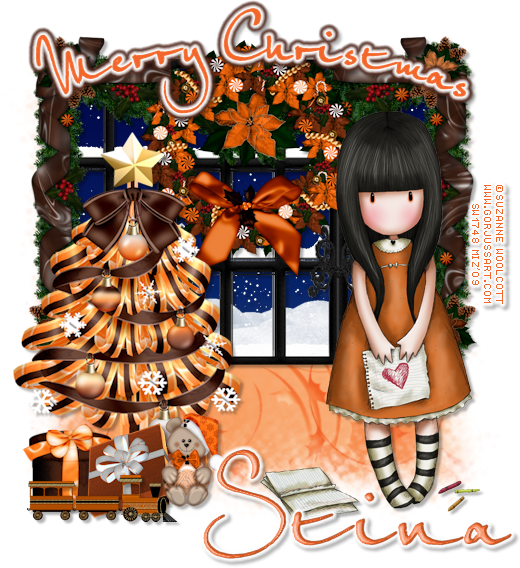
ARTIST: Artwork © Suzanne Woolcott.
In order to use the image in this tutorial you MUST purchase it from HER
SCRAPKIT: Spring Breeze by Gemini Creationz
MASK: WSL_Mask99
FONT: P22 Ruthie
Okay lets begin
New image 600 x 600
Open Gemini_SpringBreeze_paper_12
Copy and close
New raster layer
Select all
Paste into selection
Apply your mask
Merge group
Open Gemini_SpringBreeze_Frame_03
Resize by 80%
Copy and close
Paste as new layer
Free rotate 15% right
Get your magic wand and select the insides of the frames
Expand by 5
Open Gemini_SpringBreeze_paper_07
Copy and close
New raster layer
Paste into selection
move beneath your frame
The elements I used for tag are listed below
Resize them appropriately, usually about 60-80%
Just Copy and paste them as a new layer
See my tag for placement
Add drop shadows
kite
Gemini_SpringBreeze_Tree
Gemini_SpringBreeze_Cloud
Gemini_SpringBreeze_ButterflyScatter
Gemini_SpringBreeze_Ribbon_02
Gemini_SpringBreeze_Bow_03
Gemini_SpringBreeze_Bird_02
Gemini_SpringBreeze_Bird_01
Gemini_SpringBreeze_GlitterScatter
Gemini_SpringBreeze_Bee
Gemini_SpringBreeze_Flower_08
When you are done
Add your copyright and text
Merge visible and your done
Showing posts with label Gorjuss. Show all posts
Sunday, February 27, 2011
Spring Breeze
Labels:
GeminiCreationz,
Gorjuss,
tutorial
Monday, November 22, 2010
Baby It's Cold

ARTIST: Artwork © Suzanne Woolcott.
In order to use the image in this tutorial you MUST purchase it from HER
SCRAPKIT: Frosty Winter Nights by Gemini Creationz
TEMPLATE: ChristmasTemplate1-Kelly'sKreation'09
FONT: Aliance
Okay lets begin
Open your template
CTRL-D to duplicate
Close the original
Delete the copyright layer
Select your bottom layer
Open your paper of choice
Edit - copy
Close the paper
Select all, float, defloat
New raster layer
Paste into selection
Delete the original layer
do the same with the rest of the layers.
The elements I used for tag are listed below
Resize them appropriately, usually about 50%
Just Copy and paste them as a new layer
See my tag for placement
Add drop shadows
gcz-bow01
gcz-branch
gcz-flower07
gcz-flowercluster
gcz-snowflake-cluster
gcz-silver-cluster-stars
gcz-snowman
gcz-snow-flake
gcz-silver-star
gcz-glitter-spray
Add your tube
Add your copyright and text
Merge visible and your done
Labels:
GeminiCreationz,
Gorjuss,
tutorial using template
Sunday, September 19, 2010
Harvest Blooms

ARTIST: Artwork © Suzanne Woolcott.
In order to use the image in this tutorial you MUST purchase it from HER
SCRAPKIT: Harvest Blooms by MIZ (Me)
MASK: Of Choice
Okay lets begin
New image 600 x 600
Open MIZ_PP11
Copy and close
New raster layer
Select all
Paste into selection
Apply your mask
Merge group
Open MIZ_frame2
Copy and close
Paste as new layer
The elements I used for tag are listed below
Resize them appropriately, usually about 50%
Just Copy and paste them as a new layer
See my tag for placement
Add drop shadows
MIZ_bow5
MIZ_butterfly2
MIZ_heartribbon2
MIZ_leaf1
MIZ_leaf2
MIZ_leaf4
MIZ_pumpkin2
Add your ube
When you are done
Add your copyright and text
Merge visible and your done
Labels:
Gorjuss,
tutorial,
tutorial from my kits
Tuesday, December 22, 2009
Gorjuss Winter
ARTIST: Artwork © Suzanne Woolcott.
In order to use the image in this tutorial you MUST purchase it from HER
SCRAPKIT: Winter Song by Stacey's Designs
TUTORIAL: HERE
Labels:
Gorjuss,
Stacey's Designs,
tutorial
Tuesday, December 8, 2009
Jaffalicious
ARTIST: Artwork © Suzanne Woolcott.
In order to use the image in this tutorial you MUST purchase it from HER
SCRAPKIT: Jaffalicious by Designed by Stina
TUTORIAL: HERE
Labels:
Designed By Stina,
Gorjuss,
tutorial
Gorjuss Christmassy
ARTIST: Artwork © Suzanne Woolcott.
In order to use the image in this tutorial you MUST purchase it from HER
SCRAPKIT: Christmassy by Sticky Kisses Designs
Labels:
Gorjuss,
Sticky Kisses Designs
Subscribe to:
Posts (Atom)