Artist © Jennifer Janesko.
In order to use the image in this tutorial you MUST purchase it from CILM
SCRAPKIT: Luvin Music by Tiny D's Designs
MASK: Of Choice
New image 500 x 500
Open paper 10
Copy and Close
Paste as new layer
Apply your mask of choice
Open your circle frame
Copy and close
Paste as new layer
Take your magic wand and select the inside of the frame
Expand by 3
New raster layer
Open Paper 2
Copy and close
Paste into selection
Open the glitter splash
Resize by about 60% or so
Copy and close
Paste as new layer
Make sure it fits on your paper
Open your tube
Resize as needed
Copy and close
Paste as new layer
Open your red flower
Resize with your largest side about 175
Copy and close
Paste as new layer
See my tag for placement
Do the same with your black rose
Open the red bow
Resize as designed
Copy and close
Paste as new layer
See my tag for placement
Add your copyright and text
Merge visible and your done. :-)

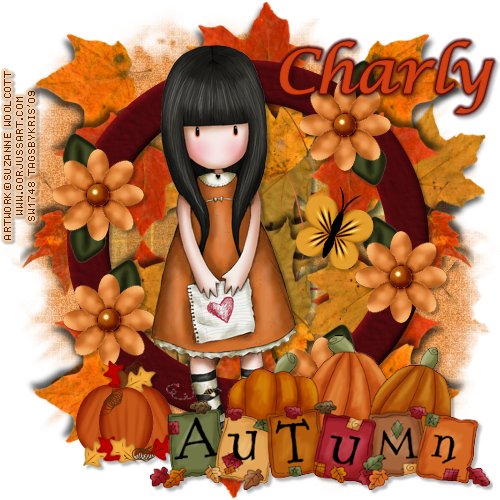
Artist © Suzanne Woolcott AKA Gorjuss.
In order to use the image in this tutorial you MUST purchase it from her site
SCRAPKIT: Autumn Design by Country Hollow Scraps
MASK: Of choice
New Image 500 x 500
Open Paper 10
Copy and close
Paste as new layer
Apply mask of choice
Open circle frame 1
Copy and close
Paste as new layer
Get your magic wand
Select the inside of your frame
Expand by 6
Open paper 2
Copy and close
New raster layer
Paste into selection
Move paper layer beneath the frame
Apply drop shadow to your frame layer
3, 3, 30, 3, black
Open your tube of choice
Copy and close
Paste as new layer
Add drop shadow to your tube
3, 3, 30, 3, black
Select your paper inside the frame layer
Open your leaves
Copy and paste them
Until you have the desired amount behind your tag
Select your top layer
Open your autum pumkin
Resize by 40%
Copy and close.
Paste as new layer.
Add drop shadow 3, 3, 30, 3, black
Add your copyright and text
Merge visible and your done.

SCRAPKIT: Bunnylicious by Country Hollow Creations
Artist © Elias Chatzoudis.
In order to use the image in this tutorial you MUST purchase it from MPT
MASK: Of choice.
New Image 600 px x 450 px
Open paper 12
Copy and paset as new layer
Apply mask of choice
Merge visible
Open frame 1
Copy and paste as new layer
Get your magic wand and select the inside of the frame
Expand by 6
Open paper 6
Copy and close
New raster layer
Paste into selection
Move the layer beneath the frame
Apply drop shadow to your frame layer
3, 3, 30, 3, black
Open up your flower 3
Copy and close
paste as new layer
Drag layer beneath the frame
Duplicate - mirror
Merge down
Duplicate - flip
Merge down
Open your tube
Copy and paste as new layer
Get your square selection tool and select her top
Copy and paste as new layer
Drag between the frame and paper
Blend mode - Luminance (L)
Duplicate and mirror
Apply drop shadows to all those layers
Add your flower, resize with the largest side 125 px
Copy and paste as new layer
Move inbetween the frame and large tube
Add your drop shadow
Duplicate and mirror
Add any other elements you want
Add your copyright and text
Merge visible and your done.

Artist © Elias Chatzoudis.
In order to use the image in this tutorial you MUST purchase it from MPT
SCRAPKIT: Schnegge's Collab Kit contribution
This can be found at Twilight Scraps.
MASK: Of choice
New Image 600 px x 600 px
Select all
Open paper 6
Copy and close
Paste as new layer
Apply your mask of choice
Merge visible
Open frame 6
Copy and close
Paste as new layer
Get your magic wand
Select the insides of the frame
Expand by 6
New Raster layer
Open paper 16
Copy and close
Paste into selection
Move layer beneath the frame
Add tube and elements of choice
Add copyright and text
Add drop shadows to all layers except mask
Merge visible and your done.

Artist © Elias Chatzoudis.
In order to use the image in this tutorial you MUST purchase it from MPT
SCRAPKIT: Laura's Designz Collab Kit contribution
This can be found at Twilight Scraps.
MASK: Of choice
New Image 400 x 400
Open paper of choice
Copy and close
Select all
Paste into selection
Adjust - blur - gaussian blur - 5
Noise - 15
Resize 500 px x 500 px
Apply mask of choice
Merge Group
Apply your tube
Add drop shadow
Open a bat
Resize by 14%
Copy and paste as new layer
See my tag for position
Add drop shadow
Open the other bat
Resize by 15%
Copy and paste as new layer
See my tag for position
Add drop shadow
Open pumpkin
Copy and paste as new layer
Resize as needed.
Add your copyright and text.
Merge visible and your done.

SCRAPKIT: A Lil Witch O Gold by Designed by Stina
MASK: Of choice
New Image 500 x 500
Open Paper of choice
Copy and close
New raster layer
Select all
Paste into selection
Apply mask of choice
Merge group
Open Frame of choice
Resize as needed
Copy and close
Paste as new layer
Open the pumpkin
Copy and paste as new layer
Place under the frame
Lower opacity to 50%
Add tube and elements of choice
Add copyright and text
Add drop shadows to all layers except mask
Merge visible and your done.